Label Printer Assembly:What are the main components involved in label printer assembly?
Q: What are the main components involved in label printer assembly?
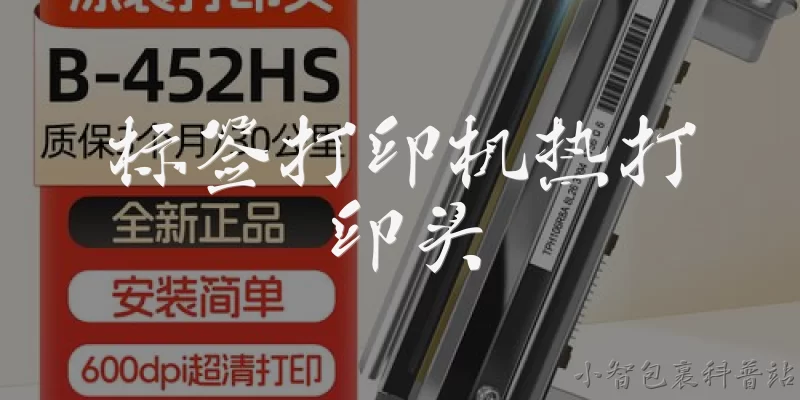
A: Label printer assembly typically involves several key components: the print head, platen roller, media sensor, ribbon spindle, and control board. The print head is the most critical part, transferring ink or heat to the label. The platen roller advances the label material, while media sensors detect gaps or black marks for precise positioning. The ribbon spindle holds the thermal transfer ribbon, and the control board manages all operations. Assembling these parts requires careful alignment to ensure print quality and longevity. Proper assembly also includes securing the housing, connecting cables, and testing the printer before final packaging.
Q: What tools are needed for label printer assembly?
A: Assembling a label printer requires a set of specialized tools. You'll need screwdrivers (Phillips and flathead), tweezers for handling small parts, and a torque wrench to avoid over-tightening screws. Anti-static wrist straps are essential to protect sensitive electronics like the control board. A multimeter helps verify electrical connections. For print head alignment, a feeler gauge or alignment jig is useful. Additionally, a clean workspace with good lighting and an assembly fixture can improve precision. Some manufacturers also use automated screw feeders and conveyor systems for high-volume assembly lines. Always follow the manufacturer's tool list for specific models.
Q: What are the common challenges during label printer assembly?
A: Common challenges in label printer assembly include misalignment of the print head and platen roller, which can cause poor print quality or jams. Handling fragile components like the print head without damaging them is another issue. Static electricity can fry sensitive circuit boards if proper grounding isn't used. Cable routing can be tricky, leading to pinched wires or loose connections. Also, ensuring consistent tension on the ribbon spindle is critical for proper ribbon take-up. Finally, testing each unit thoroughly after assembly is time-consuming but necessary to catch defects. Addressing these challenges requires skilled workers, clear work instructions, and quality control checks at each stage.
Q: How does automated assembly differ from manual assembly for label printers?
A: Automated assembly uses robots and conveyor systems to place components with high speed and consistency, reducing human error. It's ideal for high-volume production, as machines can handle repetitive tasks like screw driving and part placement. Manual assembly, on the other hand, offers flexibility for low-volume or custom models, allowing workers to adjust to variations. Manual assembly often requires more skilled labor and can be slower, but it's cost-effective for small batches. Automated lines need significant upfront investment and programming, while manual lines have lower setup costs. Many manufacturers use a hybrid approach, automating critical steps and using manual labor for final inspection and testing.
Q: What quality control steps are essential after label printer assembly?
A: After assembly, several quality control steps ensure the label printer functions correctly. First, a visual inspection checks for loose screws, misaligned parts, and proper cable connections. Then, a power-on test verifies the control board and display. Print quality tests involve printing sample labels to check for clarity, alignment, and barcode readability. Media sensor calibration ensures accurate gap detection. The printer also undergoes a stress test, running continuous prints to check for jams or overheating. Finally, a functional test of all buttons, ports, and connectivity options is performed. Any defects are recorded and corrected before packaging. These steps help maintain reliability and customer satisfaction.
Words of experience
Common scenarios of "Label Printer Assembly"
【Assembly Line Supervisor】 Good morning, team. Today we're assembling the new LP-500 label printer model. Let's review the workstation setup and parts inventory before we start.
【Assembly Technician】 Morning. I've checked the parts bins. We have all the components: print head, platen roller, main board, casing, and screws. But I noticed the ribbon cartridge sensor is missing from bin 4.
【Quality Control Inspector】 That's a critical part. Without the sensor, the printer won't detect when the ribbon is out. I can't pass any unit missing that.
【Assembly Line Supervisor】 Good catch. I'll call procurement right away. In the meantime, let's start with the sub-assemblies that don't require the sensor. Technician, begin with the print head and platen roller installation.
【Assembly Technician】 Understood. I'll mount the print head onto the carriage. Torque specs are 2.5 Nm for the two screws. Then I'll align the platen roller and check the gap.
【Quality Control Inspector】 Make sure the gap is 0.1 mm using the feeler gauge. Last batch had a few that were too tight, causing ribbon jams.
【Assembly Technician】 Got it. I'll measure after tightening. ... Okay, print head is mounted, platen roller aligned, gap is 0.1 mm. Moving on to the main board.
【Assembly Line Supervisor】 While you do that, I'll check with procurement. They said the sensor will arrive in 30 minutes. We can continue with the main board and wiring.
【Assembly Technician】 I'm installing the main board now. Connecting the power harness and the data ribbon cable. Need to ensure the connectors click into place.
【Quality Control Inspector】 After you connect, I'll do a continuity test on the key signal lines. We had a cold solder joint issue last month that caused intermittent failures.
【Assembly Technician】 Connections done. Go ahead and test.
【Quality Control Inspector】 Testing... All lines show continuity. Good. Now let's wait for that sensor. Supervisor, any update?
【Assembly Line Supervisor】 Procurement just delivered the sensors. They're at the staging area. Technician, please pick them up and install.
【Assembly Technician】 On it. ... Sensor installed and secured with the bracket. I've connected it to the main board port J3.
【Quality Control Inspector】 Now I'll run a functional test: power on, check sensor LED, and simulate ribbon out. ... Sensor works, LED turns red when ribbon is removed. Pass.
【Assembly Line Supervisor】 Great. Now proceed with the casing assembly. Make sure all cables are routed properly to avoid pinching.
【Assembly Technician】 Routing cables now. I'll use the cable ties to secure them away from the moving parts. Then attach the top cover and screw it down.
【Quality Control Inspector】 After casing, I'll do a final visual inspection and a print test. Let's see if it prints a test label cleanly.
【Assembly Technician】 Casing is on. All screws tightened. Ready for final test.
【Quality Control Inspector】 Running print test... Label feeds smoothly, print quality is sharp, no smudges. This unit passes. Good job, everyone.