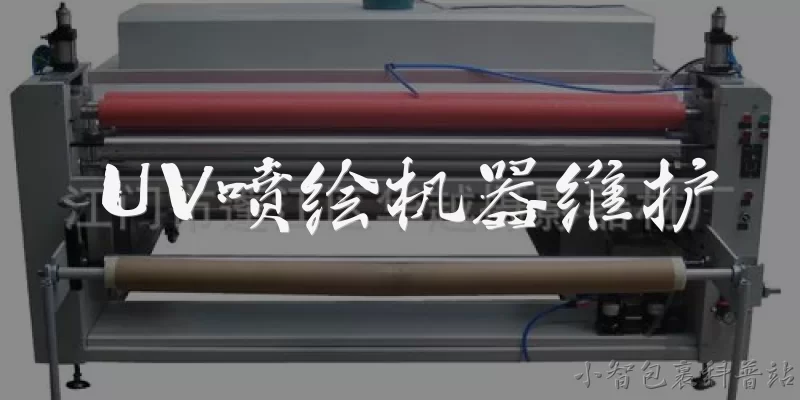
UV Printer Maintenance:How often should I clean the printhead of my UV printer?
Q: How often should I clean the printhead of my UV printer?
A: You should clean the printhead of your UV printer daily, preferably at the end of each workday, to prevent ink from drying and clogging the nozzles. A typical daily routine includes wiping the nozzle plate with a lint-free swab dampened with a dedicated cleaning solution, then running a nozzle check to confirm all jets are firing. If the printer sits idle for more than a few hours, perform a purge or a short cleaning cycle. Weekly, do a more thorough flush using a syringe or the printer's built-in cleaning function. Consistent daily care dramatically extends printhead life and avoids costly replacements.
Q: What is the proper way to store UV ink and other consumables?
A: Store UV ink and other consumables in a cool, dry, dark place away from direct sunlight and heat sources. The ideal temperature range is 15–25°C (59–77°F), and relative humidity should stay between 40% and 60%. Keep bottles tightly sealed and upright to prevent oxidation and leakage. Never leave ink in the printer's sub-tank or lines for long periods when not in use; instead, follow the manufacturer's flushing procedure. Rotate stock using a first-in-first-out system, and always check expiration dates. Proper storage preserves ink chemistry and prevents pigment settling, ensuring consistent print quality and reliable printer operation.
Q: Why is it important to maintain the capping station and wiper blade?
A: The capping station and wiper blade are critical for printhead health. The capping station seals the printhead when idle, preventing ink from drying and air from entering the nozzles. The wiper blade removes excess ink and debris from the nozzle plate after cleaning cycles. If the cap is dirty or worn, it won't seal properly, leading to clogged nozzles and poor print quality. A damaged wiper can scratch the printhead or leave streaks. Clean the capping station weekly with a swab and cleaning solution, and replace the wiper blade every 1–3 months depending on usage. This simple maintenance prevents major printhead failures.
Q: How do I safely clean the UV lamp and curing system?
A: Before cleaning the UV lamp and curing system, always turn off the printer and unplug it to avoid electrical shock or burns, as lamps can stay hot for several minutes. Use a soft, lint-free cloth slightly dampened with isopropyl alcohol to gently wipe the quartz glass or reflector. Never spray liquid directly onto the lamp or electrical components. Check the lamp for darkening or cracks; replace it according to the manufacturer's rated hours, typically 500–1000 hours. Also clean the cooling fans and air filters to prevent overheating. Regular cleaning maintains consistent UV curing, which is essential for proper ink adhesion and durable prints.
Q: What daily and monthly maintenance tasks should I follow for a UV printer?
A: Daily tasks include: performing a nozzle check, cleaning the printhead and capping station, wiping the wiper blade, and checking ink levels. Also empty waste ink containers if needed. Monthly tasks involve: flushing the ink lines and sub-tanks, cleaning the UV lamp and cooling system, lubricating the guide rails, checking belt tension, and inspecting all cables and connectors. Additionally, update firmware if available and back up printer settings. Always follow the manufacturer's manual for specific intervals. Keeping a maintenance log helps track tasks and anticipate part replacements. Consistent adherence to this schedule minimizes downtime, extends equipment life, and ensures high-quality output.
Dialogue about
Common scenarios of "UV Printer Maintenance"
【Technician】 Good morning, John. I'm here for the routine maintenance of your UV printer. How has it been performing?
【Customer】 Morning, Mike. It's been okay, but I've noticed some banding in the prints lately. Also, the printhead seems to clog more often.
【Technician】 I see. Banding and clogging often indicate issues with the printhead or ink system. Let me start by checking the printhead nozzles.
【Customer】 Sure, go ahead. Do you need me to do anything?
【Technician】 Just make sure the printer is turned on and the ink levels are sufficient. I'll run a nozzle check pattern.
【Customer】 Ink levels are good. I'll turn it on now.
【Technician】 Great. I've printed the nozzle check. There are several missing segments, which confirms clogging. I'll perform a cleaning cycle.
【Customer】 Okay, how long does that take?
【Technician】 About 10 minutes. After that, I'll check the wiper and capping station for any debris or ink buildup.
【Customer】 I haven't cleaned those in a while. Could that cause the banding?
【Technician】 Absolutely. A dirty wiper can't effectively clean the printhead, leading to clogs and banding. I'll clean them thoroughly.
【Customer】 Thanks. Also, the printer sometimes makes a grinding noise when moving.
【Technician】 That could be the rails or bearings. I'll lubricate the rails and check the belt tension after the cleaning.
【Customer】 Appreciate it. What about the UV lamp? Does it need any maintenance?
【Technician】 Yes, the UV lamp should be cleaned regularly to ensure proper curing. I'll wipe it down with isopropyl alcohol.
【Customer】 Good to know. I'll add that to my weekly routine.
【Technician】 That's a good idea. Also, check the cooling fan and filters; dust can cause overheating.
【Customer】 Will do. How often should I perform a full maintenance like this?
【Technician】 For your usage, a full maintenance every 3 months is recommended, with daily nozzle checks and weekly cleaning of the wiper and capping station.
【Customer】 Got it. Thanks for the thorough maintenance, Mike. I'll schedule the next one accordingly.