How to program the Guowang paper cutter:What Are the Basic Steps to Program the Guowang Paper Cutter?
Q: What Are the Basic Steps to Program the Guowang Paper Cutter?
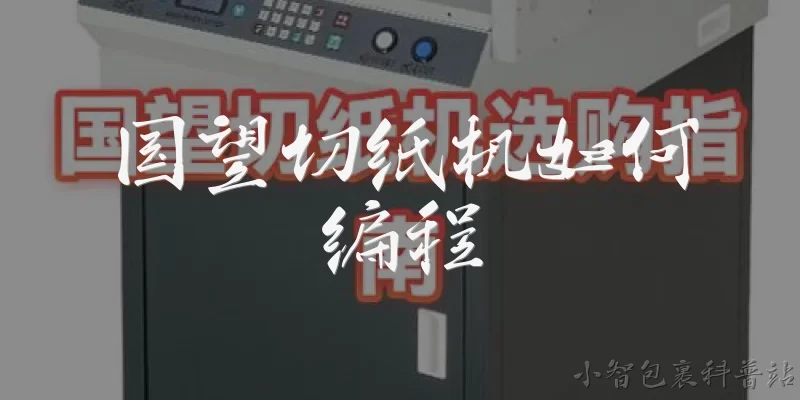
A: Programming the Guowang paper cutter involves a straightforward process once you understand the control panel layout. First, power on the machine and wait for the system to initialize. Navigate to the program menu using the touchscreen or keypad, then select 'New Program' to start a fresh cutting sequence. Input the desired cut dimensions using the numeric keys, specifying width and length for each cut. You can add multiple cutting steps by pressing 'Add Step' and entering the next set of measurements. Once all cuts are entered, assign the program a number and save it to memory. Before running a job, always perform a test cut on scrap paper to verify accuracy. Adjust the blade depth and clamp pressure if needed through the settings menu. Finally, load your paper stack, align it against the back gauge, and press 'Start' to execute the program. Most Guowang models allow you to store dozens of programs, making repetitive jobs quick and consistent.
Q: How Do You Calibrate the Cutting Dimensions on a Guowang Paper Cutter?
A: Calibrating your Guowang paper cutter ensures every cut is precise, which is critical for professional print finishing. Begin by entering the calibration mode, usually found under 'Settings' or 'Maintenance' on the control panel. You will need a test sheet of paper and a reliable measuring tool like a steel ruler or caliper. Program a single cut at a known dimension, such as 100 mm, then measure the actual result. If there is a discrepancy, the machine will ask for the actual measured value. Enter that number, and the system will automatically calculate the offset and adjust the back gauge positioning. Repeat this process for at least three different dimensions—small, medium, and large—to ensure linear accuracy across the entire cutting range. Some Guowang models also allow you to calibrate the clamp pressure and blade depth in the same menu. After calibration, save the settings and run a verification cut. Proper calibration should be done weekly or whenever you notice inconsistent cuts, and it significantly extends the life of your machine.
Q: What Common Programming Errors Should You Avoid on a Guowang Paper Cutter?
A: Even experienced operators can make programming mistakes on a Guowang paper cutter that lead to wasted stock or machine errors. One common error is entering dimensions in the wrong unit—always confirm whether the machine is set to millimeters or inches before starting. Another frequent issue is forgetting to account for the blade kerf, which is the width of the cut itself; if you need exact finished sizes, you must compensate for this in your program. Overloading the program with too many steps without testing can also cause alignment drift, especially on older models. Additionally, failing to set the correct clamp pressure for different paper weights can result in shifting or marking. Many operators also neglect to save programs properly, accidentally overwriting existing jobs. To avoid these problems, always double-check your entries, run a test cut on scrap paper, and keep a written log of your program numbers. Regularly updating the machine's firmware and maintaining the blade will also reduce programming-related errors and keep your workflow efficient.
Words of experience
Common scenarios of "How to program the Guowang paper cutter"
【New Employee】 Hi, I just joined the production team and was told to operate the Guowang paper cutter. Can you help me understand how to program it?
【Senior Technician】 Sure! The Guowang paper cutter is a common model. First, make sure the machine is powered on and the safety guard is down. Then we can start with the basic settings.
【New Employee】 Okay, the power is on and the guard is down. What's next?
【Senior Technician】 Press the 'Menu' button on the control panel. You'll see options like 'Program', 'Manual', and 'Diagnostics'. Select 'Program' using the arrow keys and press 'Enter'.
【New Employee】 I see 'Program' now. It's asking for a program number. What should I enter?
【Senior Technician】 If you're creating a new program, enter a number that isn't already used, like 01. Then press 'Enter' to confirm.
【New Employee】 Done. Now it shows 'Cut Length' and 'Quantity'. How do I set the cut length?
【Senior Technician】 Use the numeric keypad to enter the desired length in millimeters. For example, type 210 for 210mm. Then press 'Enter' to move to quantity.
【New Employee】 I entered 210. For quantity, should I enter the number of sheets I want to cut?
【Senior Technician】 Yes, enter the total number of cuts you need. For instance, if you need 500 sheets, type 500. Then press 'Enter'.
【New Employee】 Okay, it now shows 'Speed' and 'Pressure'. What are good settings?
【Senior Technician】 Speed depends on the paper thickness. For standard copy paper, set speed to 80. Pressure should be around 4 to 5 bars. You can adjust later if cuts are uneven.
【New Employee】 I set speed to 80 and pressure to 4.5. The screen now says 'Ready to Save'. Should I save?
【Senior Technician】 Yes, press 'Save'. It will ask for a name. You can use the default or type a name like 'A4Cut'. Then press 'Enter' to confirm.
【New Employee】 Saved as 'A4Cut'. How do I actually start the cutting process?
【Senior Technician】 Make sure the paper is loaded correctly against the back gauge. Then press the green 'Start' button. The machine will run automatically.
【New Employee】 It's running! But what if I need to make adjustments mid-job?
【Senior Technician】 Press the red 'Stop' button first. Then you can go back to the program menu, adjust settings, and save. Always stop before making changes for safety.
【New Employee】 Got it. How do I recall a saved program later?
【Senior Technician】 From the main menu, select 'Program', then 'Load'. Use the arrows to find your saved program, like 'A4Cut', and press 'Enter'. It will load all settings.
【New Employee】 That seems straightforward. Any final tips for programming the Guowang?
【Senior Technician】 Always double-check the cut length and quantity before starting. Keep the manual handy for error codes. And never bypass safety features. You'll get the hang of it quickly.