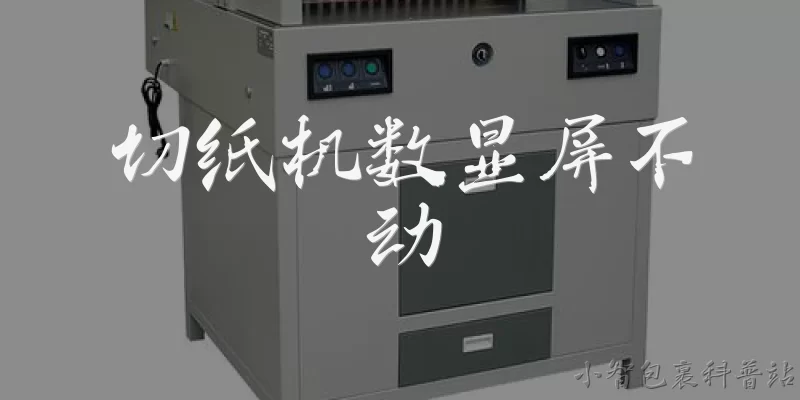
Paper cutter digital display screen not working:Why is the digital display screen on my paper cutter not working?
Q: Why is the digital display screen on my paper cutter not working?
A: A paper cutter's digital display screen can stop working for several reasons, and identifying the root cause usually starts with checking power and connections. First, confirm the machine is receiving power and that the outlet or breaker is functioning. If the cutter powers on but the screen stays blank, the issue may be a loose or disconnected ribbon cable linking the display board to the main control board. Vibration from regular cutting can gradually loosen these internal connectors. Another common cause is a blown fuse on the control board, which protects the display circuit. In some cases, the backlight has failed while the display itself still works, making it look dead in bright rooms but faintly visible in the dark. Moisture or dust entering the control panel can also corrode contacts and interrupt the signal. Finally, a failed power supply module may deliver insufficient voltage to the display even if other functions seem normal. Before opening the machine, always unplug it and consult the manual, since paper cutters store mechanical energy in springs and blades that can cause serious injury.
Q: How can I troubleshoot a paper cutter digital display that won't turn on?
A: Troubleshooting a non-responsive digital display should follow a logical sequence from simple external checks to internal diagnostics. Start by verifying the power source: test the outlet with another device, inspect the power cord for damage, and check the fuse or circuit breaker. If your cutter has a master switch and a separate control switch, make sure both are on. Next, look for a reset button or a key-operated lock that might keep the control panel in standby. If the machine hums or the blade motor runs but the screen stays dark, the problem is likely isolated to the display circuit rather than overall power. Unplug the cutter, wait a few minutes, and plug it back in to allow the controller to reboot. On some models, holding a specific button combination during startup restores factory display settings. If these steps fail, the fault is probably internal, such as a failed display board, loose wiring harness, or dead backup battery that maintains memory settings. At that point, professional service is recommended because diagnostic work inside the cabinet exposes you to electrical hazards and sharp components.
Q: When should I repair or replace a paper cutter with a broken digital display screen?
A: Deciding between repair and replacement depends on the cutter's age, value, and the extent of the fault. If the machine is under warranty, contact the manufacturer first, since unauthorized repairs can void coverage. For a high-end programmable cutter used daily, a failed display is usually worth repairing because the display is a modular part and the mechanical components remain valuable. A technician can often swap the display board or ribbon cable for a modest cost compared to buying a new unit. However, if the cutter is a low-cost model several years old, the labor and parts may approach the price of a replacement, especially if the control board is also damaged. Consider whether parts are still available; discontinued models can leave you waiting indefinitely. Also weigh downtime: a print shop losing production may prefer immediate replacement, while a small office can tolerate a repair delay. If the screen flickers intermittently rather than failing completely, a simple connector reseat might solve it cheaply. Get a written estimate before committing, and factor in the safety risk of continuing to use a cutter whose settings you cannot verify visually.
Words of experience
Common scenarios of "Paper cutter digital display screen not working"
【User】 Hi, I'm having an issue with my paper cutter. The digital display screen isn't working at all.
【Support Agent】 Hello! I'm sorry to hear about the display issue. Let's troubleshoot. First, is the paper cutter receiving power? Are any lights on?
【User】 Yes, the power light is on, but the screen is completely blank. No numbers, no backlight.
【Support Agent】 Okay, that suggests the machine has power but the display isn't getting signal or power. Have you tried turning it off and on again?
【User】 Yes, I've tried that a few times. Still nothing.
【Support Agent】 Alright. Could you check if there's a separate power switch for the display, or a fuse? Some models have a small fuse for the display circuit.
【User】 I don't see any separate switch. Where would the fuse be?
【Support Agent】 It's usually near the power input. You might need to unscrew a small panel. Do you have the manual?
【User】 I think I have it somewhere. Let me check... Yes, here it is. It says there's a fuse on the main board.
【Support Agent】 Great. If you're comfortable, you can check if the fuse is blown. But first, make sure the machine is unplugged.
【User】 I unplugged it and opened the panel. The fuse looks fine, not broken.
【Support Agent】 Okay, so the fuse is good. Next, check the ribbon cable connecting the display to the main board. Sometimes it comes loose.
【User】 I see a flat cable. It seems securely connected. Should I try reseating it?
【Support Agent】 Yes, gently unplug it and plug it back in. Make sure it's aligned properly.
【User】 Done. I plugged it back in and turned on the machine. Still no display.
【Support Agent】 Hmm. Could be a faulty display or main board. Do you have a multimeter to test voltage?
【User】 No, I don't have one. Is there any other way to check?
【Support Agent】 Without a multimeter, it's hard to diagnose. But if the machine operates normally otherwise (cuts paper), it's likely just the display unit.
【User】 Yes, the cutter still works, just no display. So I can still use it, but I can't see the settings.
【Support Agent】 In that case, I recommend replacing the display module. I can send you a new one if it's under warranty. Can I have your model number and purchase date?