Label printing equipment:What is label printing equipment and what types are commonly used?
Q: What is label printing equipment and what types are commonly used?
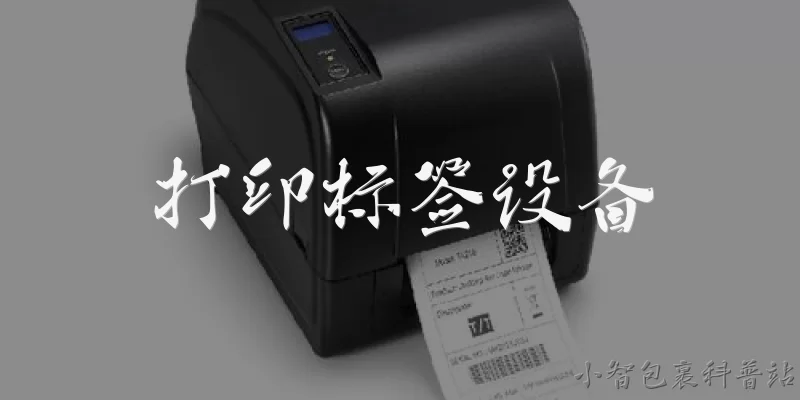
A: Label printing equipment refers to machines and systems used to produce labels for products, packaging, logistics, and branding. Common types include thermal transfer printers, which use heat and ribbon to create durable, smudge-resistant labels ideal for barcodes and variable data; direct thermal printers, which print on heat-sensitive paper and suit short-life labels like shipping and receipts; inkjet printers, offering high-resolution color output for flexible packaging and promotional labels; laser printers, used for high-volume monochrome or color label runs on sheets or rolls; and flexographic or digital presses for large-scale commercial label production. Selection depends on factors such as print volume, label material, durability requirements, color needs, and integration with existing workflows. Many modern systems also support software for design, variable data printing, and compliance with industry standards.
Q: How should I choose the right label printing equipment for my business?
A: Choosing label printing equipment starts with defining your application requirements. Consider label volume per day or month, since low-volume operations may suit a compact desktop thermal printer, while high-volume production benefits from industrial-grade presses. Evaluate label materials and environments: thermal transfer works well for durable barcode labels, direct thermal for short-term shipping labels, and inkjet or laser for color and promotional needs. Check print resolution (dpi), speed, and maximum label width against your specifications. Factor in integration with your ERP or warehouse management system, software compatibility, and barcode or RFID encoding capabilities. Total cost of ownership matters too—including consumables like ribbons and media, maintenance, and service contracts. Finally, review vendor support, warranty terms, and scalability. Testing samples with your actual label stock before purchase helps confirm print quality and reliability.
Q: What maintenance is required to keep label printing equipment running reliably?
A: Regular maintenance extends the life of label printing equipment and prevents costly downtime. For thermal printers, clean the printhead frequently with approved cleaning pens or swabs to remove adhesive residue and dust, and clean rollers and media paths to avoid jams and print defects. Check and replace worn parts such as platen rollers, printheads, and cutters according to manufacturer schedules. For inkjet systems, run periodic nozzle checks and cleaning cycles to prevent clogging, and keep ink supplies within recommended conditions. Laser and press equipment require toner or ink management, fuser inspection, and calibration. Maintain a clean, dust-free environment with stable temperature and humidity, especially for thermal media. Document maintenance tasks and train operators to follow daily, weekly, and monthly checklists. Using genuine consumables and scheduling professional service visits further ensure consistent print quality and compliance with warranty terms.
Q: What trends are shaping label printing equipment today?
A: Several trends are reshaping label printing equipment. Digital printing continues to grow, enabling short runs, customization, and variable data without plate setup costs, which supports personalized marketing and regulatory labeling. Automation and smart connectivity are advancing, with printers integrating into ERP, WMS, and cloud platforms for real-time label generation and remote monitoring. Sustainability drives demand for equipment compatible with eco-friendly materials, linerless labels, and reduced waste, alongside energy-efficient designs and water-based inks. Color digital presses are improving in speed and quality, challenging traditional flexographic workflows for medium runs. RFID and smart label encoding are expanding in retail and logistics, requiring printers with encoding capabilities. Finally, ease of use and AI-assisted quality control—such as automatic printhead monitoring and defect detection—are helping operators maintain consistency. Staying informed about these developments helps businesses invest in equipment that remains competitive and future-ready.
Words of experience
Common scenarios of "Label printing equipment"
【Sales Representative】 Hello! Welcome to our booth. I see you're interested in our label printing equipment. How can I assist you today?
【Customer】 Hi! Yes, I'm looking for a label printer for my small business. We need something that can handle various label sizes and materials. Can you tell me about your options?
【Sales Representative】 Absolutely! We have a range of models from desktop to industrial. For small businesses, our desktop models like the LP-200 series are popular. They support label widths up to 4 inches and can print on paper, synthetic, and even some textiles. What's your typical print volume?
【Customer】 We print about 500 labels a day, mostly product labels and shipping labels. We also need barcode printing. Does the LP-200 support that?
【Sales Representative】 Yes, the LP-200 comes with built-in barcode fonts and can print high-resolution barcodes. It also has a 203 dpi print head, which is standard for barcodes. For higher resolution, you might consider the LP-300 with 300 dpi. Would you like a demo?
【Customer】 A demo would be great. Also, what about the cost of consumables? We want to keep operating costs low.
【Sales Representative】 Our printers use thermal transfer or direct thermal technology. Thermal transfer requires ribbons, but direct thermal doesn't, which can save on consumables. However, direct thermal labels may fade over time. For product labels, thermal transfer is more durable. Our ribbons are competitively priced, and we offer bulk discounts.
【Customer】 I see. We need labels that last at least a year. So thermal transfer might be better. Can you show me the LP-200 in action?
【Sales Representative】 Of course. Let me print a sample label with a barcode and text. (Prints label) Here you go. As you can see, the print quality is sharp, and the barcode scans easily. The LP-200 also has an LCD screen for easy setup and Ethernet and USB connectivity.
【Customer】 That looks good. What about software? Do we need special software to design labels?
【Sales Representative】 We provide free label design software that's user-friendly. It includes templates for common label types and supports database connections for variable data. You can also use third-party software like BarTender if you prefer. The printer comes with Windows drivers and supports ZPL and EPL emulations.
【Customer】 Great. What's the warranty and support like?
【Sales Representative】 The LP-200 comes with a two-year warranty covering parts and labor. We also offer optional extended warranties. Our support team is available 24/7 via phone and email, and we have online resources like videos and manuals. On-site service can be arranged if needed.
【Customer】 That sounds reassuring. What's the price for the LP-200?
【Sales Representative】 The LP-200 is priced at $899. If you order today, we can include a starter kit with a ribbon and a roll of labels, plus free shipping. We also offer financing options if you're interested.
【Customer】 That's within our budget. Can we get a volume discount if we buy two units?
【Sales Representative】 Definitely. For two units, we can offer a 10% discount, bringing the price to $809 each. Plus, we'll extend the warranty to three years for both printers. How does that sound?
【Customer】 That's a good deal. We might also need a label rewinder and applicator in the future. Do you offer those accessories?
【Sales Representative】 Yes, we have a range of accessories including rewinders, peelers, and applicators. They are compatible with the LP-200 series. I can send you a catalog with details and pricing.
【Customer】 Perfect. Let's proceed with two LP-200 printers and the starter kits. Can you send me a formal quote?
【Sales Representative】 Certainly! I'll prepare a quote and email it to you within the hour. Just give me your contact information. Thank you for your business!